TrimCloud by Accelra · For teams running on AWS
Know where your AWS spend goes
TrimCloud is how Accelra assesses and reduces AWS costs. Start with a short, free assessment. Then we work through the savings with your team, one safe change at a time.
Who it is for
Growing companies that suspect they pay too much for AWS
Founders and CEOs
“Are we scaling efficiently?”
Your AWS bill is hard to predict and eats into margin. You want a clear view of where the money goes without getting into the details.
CTOs and engineering leaders
“Is manual cleanup wasting our time?”
You want to optimize the infrastructure but cannot spare engineering time. You need a prioritized list of what to change first.
Finance leaders
“Why does the bill keep changing?”
You need cost data you can forecast from, and a clear case for any optimization work you put in front of the board.
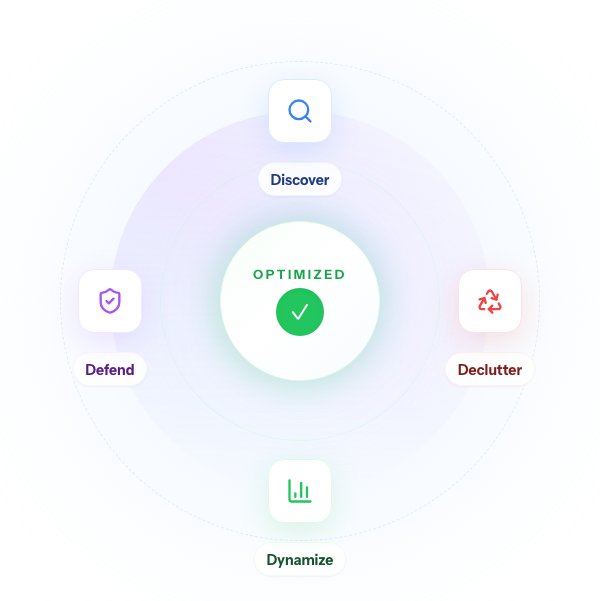
The 4D Cost Method
A systematic approach to AWS cost optimization
Four stages, repeated. Each pass uncovers the next layer of savings.
Discover
See where every dollar goes
We pull historical cost data and map it against your business changes: new customers, traffic growth, product launches. We make your top five spending services visible so you know what is driving the bill.
Declutter
Remove what you do not need
We surface unused resources such as old EBS snapshots, stopped EC2 instances, unattached volumes, and orphaned Elastic IPs. Then we add business context to find applications or workloads that can be retired entirely.
Dynamize
Right-size what remains
We analyze underused compute, find long-running On-Demand instances without Savings Plans, and use your one- and three-year projections to recommend commitments. We downsize compute without downtime and review network patterns, such as whether a NAT Gateway or a NAT instance suits your traffic.
Defend
Prevent future waste
We set up controls that catch issues early: budget alerts at 80, 100, and 120 percent, Cost Anomaly Detection for unexpected spikes, and weekly spend digests. We add snapshot lifecycle policies, tagging standards for cost allocation, and a monthly cost review with your team.
The assessment
A few questions. A clear first step.
Answer a short set of questions about how you run AWS today and see which stage of the method needs attention first.
- An AWS efficiency score from 0 to 100
- Signals of hidden cost and waste
- A prioritized list of quick wins
Where to start
Steps you can take at each stage of cost maturity
01
Starting out
Start with AWS Cost Explorer. Find your biggest targets and set basic alerts.
- Turn on AWS Cost Anomaly Detection
- Create a budget alert at 80%
- Tag your five most expensive resources
- Enable Cost Optimization Hub
02
Getting precise
Add cost allocation tags, cleanup routines, and Savings Plans.
- Automate tagging with AWS Config
- Reach 80% tagging coverage
- Clean up resources on a schedule
- Move Reserved Instances to Savings Plans
03
Running on data
Add unit economics, forecasting, and cost checks in your delivery pipeline.
- Calculate unit economics
- Model seasonal demand
- Attribute costs automatically
- Check cost impact in CI/CD
We cut our own AWS bill
PokerInk is a product we build and run. The write-up covers where its AWS money went, what we changed, and the projected savings.
Read how we cut our infrastructure billBefore we begin
A few practical questions
- What does the assessment cost?
- Nothing. The assessment and a first strategy call are free. If you want help with the work, we propose a scope and price based on your infrastructure, and agree them with you before anything starts.
- Do we need to give you AWS access?
- Not for the assessment. For the optimization work, yes: you create an IAM role with read-only access to Cost Explorer, Trusted Advisor, and resource metadata. We provide the exact policy. You keep control of the role and can revoke it at any time.
- What if a change breaks something?
- Changes are tested with your team before they reach production, and your team reviews and approves each one. Nothing is rolled out without that sign-off.
- How is this different from AWS Cost Explorer or a cost tool?
- Tools tell you what to fix. We make the changes with your team. Most cost recommendations stall between the report and a safe production change, and that step is the work we do.
- We already use Reserved Instances or Savings Plans. Is there more to find?
- Usually, yes. Commitments are one layer. Right-sizing, storage tiers, data transfer and networking costs, unused resources, and architecture changes are often untouched.
- How quickly do savings show up?
- Quick wins such as removing unused resources show up on the next bill. Right-sizing, commitments, and architecture changes take longer to implement and measure.
Next step
Bring your last AWS bill
Take the assessment, or book a call and walk us through what you run. We will tell you where we would look first.